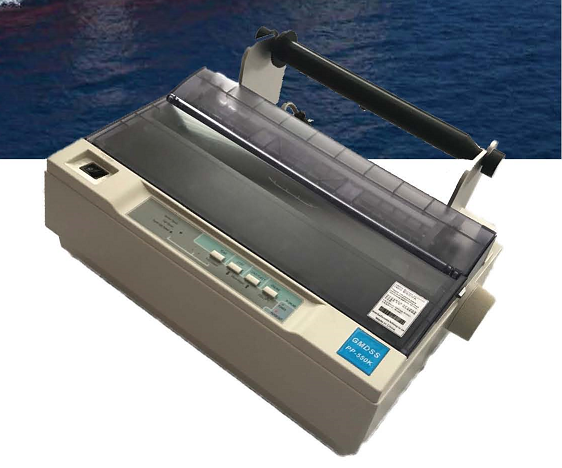

Discontiued product. 已经停产。
Replacement model : NKG-950
替代型号:NKG-950
|
DIP Switch Settings The SEIKOSHA SP-2400AI & SP-2415AI printers use the following Dip Switch settings. Please refer to the printer manual for details of how to set these printers up. Note: The printer must be turned off before you can change any of the switches. The current DIP Switch settings can be printed by holding down the NLQ switch whilst turning the printer on. If you have been printing, allow the Print head to cool down before touching it. When setting the switches (below), open the printer cover, remove the ribbon cassette and replace the printer cover. The DIP switches are only read after the initialisation process either by turning the printer on or by receiving the INITIAL signal via the Parallel Interface.
|
|||||||||||||||||||||||||||||||||||||||||||||||||||
|
Note 1 : Epson and IBM modes are selected only by using DIP switch 1-4. There is no control code to designate Epson or IBM mode. Note 2 : DC1 Code - Select printer through software DC3 Code - Deselect printer through software International Character Selection
|
|||||||||||||||||||||||||||||||||||||||||||||||||||
|
Dip Switch Bank 2 If Dip Switch 2-7 is OFF (Parallel) then switches 2-1 through to 2-6 (Serial protocol) are ignored Serial protocol selection
Parity selection
Serial data length
Interface mode selection
CSF mode selection
|
|||||||||||||||||||||||||||||||||||||||||||||||||||
|
The following Test Prints are available on this printer. Turn Power on whilst holding down the following switch.
|
|||||||||||||||||||||||||||||||||||||||||||||||||||
|
To exit from the self test mode or current Dip Switch settings, press the ON-LINE switch or turn the power off. To exit from Hexadecimal dump mode either turn the printer off or send an INITIAL signal via the Parallel Interface. |